
Broken HFS on USB drive after router reboot
 This thread has been locked for further replies. You can start a new thread to share your ideas or ask questions.
Broken HFS on USB drive after router reboot
Hello,
I have Archer AX6000 with enabled Time machine and with connected my 2TB WD external hardrive. Disk is formated ad HFS and connected to router via USB-C connector.
Time machine backups works well until router is rebooted. Does not matter if it is via web UI or incidentely by power outage.
Mostly any time filestem is marked as broken and time machine stopped. Also I'm not able to fix it via disk-utils, it always fails with File system verify or repair failed. : (-69845)
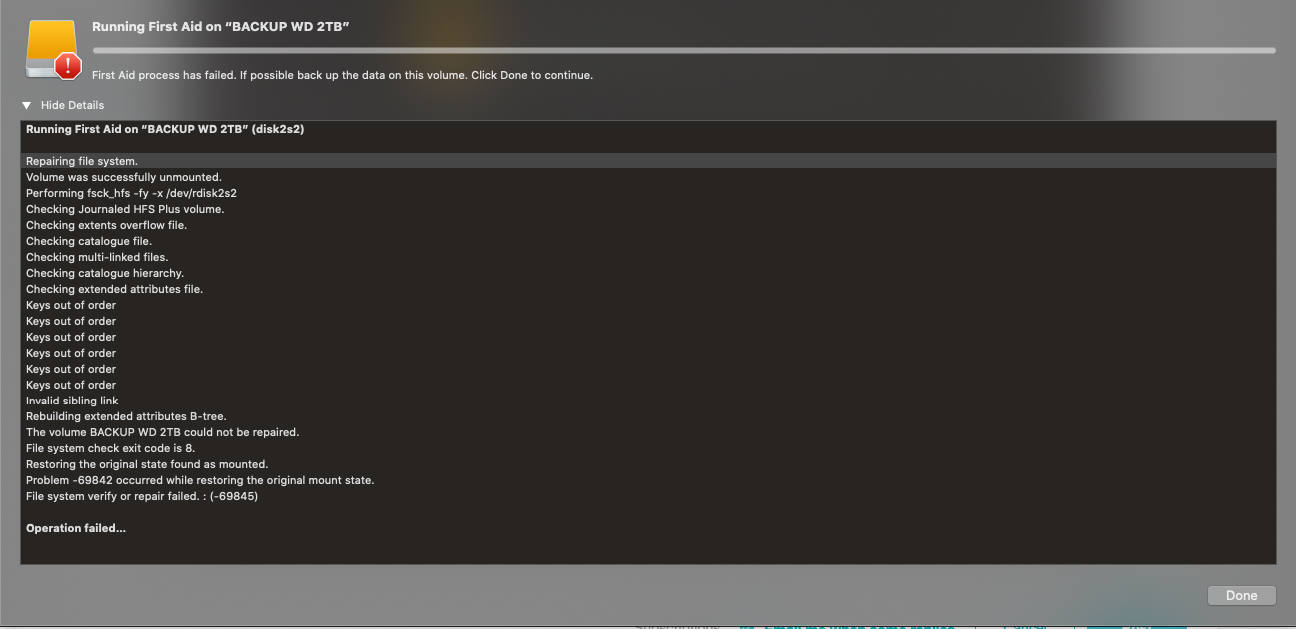
I had same issue also with previous firmware and backup HDD is fine - It's connected now directly to my macbook because I need backups.
This is very bad behaviour which I'll not expect from this expensive router.

